
TRAVEL GUIDES · 3 MIN READ
Cloud storage for travel photos: a before-and-after trip checklist
· CloudWink team
Travel is when your phone is busiest and easiest to lose. It holds photographs, bookings, maps and the details you need to get home. A simple storage plan lets you capture the trip while keeping recoverable copies and ensuring essential documents remain available without a connection.
Before departure: make room and test access
Check local free space and your cloud capacity. A long trip with frequent video capture can grow a library quickly. Use recent recording sizes to estimate headroom instead of assuming a photo count tells the whole story.
Confirm you can sign in and recover your account without depending entirely on the phone you are taking. Download essential booking PDFs and other needed documents to an appropriate offline location. A cloud copy is not an offline copy.
Estimate capacity before a tripDuring the trip: upload when it is practical
Use a reliable connection and check the cost of mobile data or roaming before transferring large videos. Follow the app’s instructions about keeping uploads active, especially when battery-saving settings or background limits apply.
At the end of a day, check completion rather than assuming every capture has uploaded. Keep camera cards and local originals until you have verified stored copies. Do not format a memory card simply because a few thumbnails appeared online.
Protect originals without promising the impossible
CloudWink keeps supported uploads as received, without compression or re-encoding. That lets you retain the image or video file you supplied instead of making an additional reduced storage copy.
This does not create details missing from an already compressed export or a forwarded chat attachment. When moving files from a camera or another phone, choose original transfers where available and confirm the format is supported.
Share selectively while you are away
Build a travel album for the photographs you want others to see. Keep travel documents, private locations and personal information outside that collection. Consider whether someone in a photograph is comfortable with it being shared.
Use available passwords, expiry and download limits where appropriate. Remember that a recipient may retain a download. A controlled album link is useful for deliberate sharing, but it does not make every shared file reversible.
Read how CloudWink album access worksBack home: verify and make another copy
Download a sample of photographs and longer videos, confirm they open and compare them with the source. Check missing dates or failed uploads before clearing the phone or camera card.
Keep a separately maintained copy of the collection, then organize it by date and destination. Add captions or context through your chosen archive process while the details are still fresh. A trip deserves more than one unverified location for its memories.
A checklist you can reuse
Save this routine with your packing list so it becomes part of preparing for the next journey.
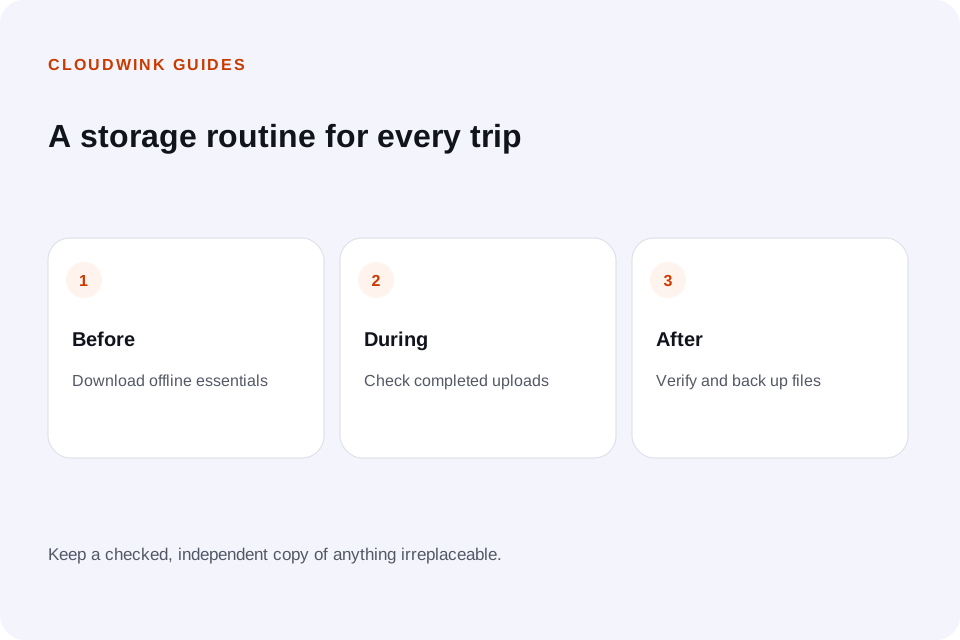
- Before: check space, supported formats and account recovery.
- Before: download documents needed without internet.
- During: check connection costs and upload completion.
- During: keep source copies and share a reviewed album.
- After: verify downloads, make an independent copy and organize the collection.
Questions about this guide.
Can I rely on cloud storage while flying or without mobile service?
Only rely on files already downloaded to the device. Download essential documents before departure and verify that they open with the network disabled.