
CLOUDWINK FOR iOS
Your world. In your pocket.
Bring your photos and files together on iPhone. Browse your library, collect moments into albums and share just what you choose.
- Add photos, videos, audio and PDFs
- Organize albums and browse by date
- Share albums through the native share sheet
App Store link coming soon
An account and internet connection are required for uploads, downloads and sharing. Check the App Store listing for device and OS requirements when available.
See all platforms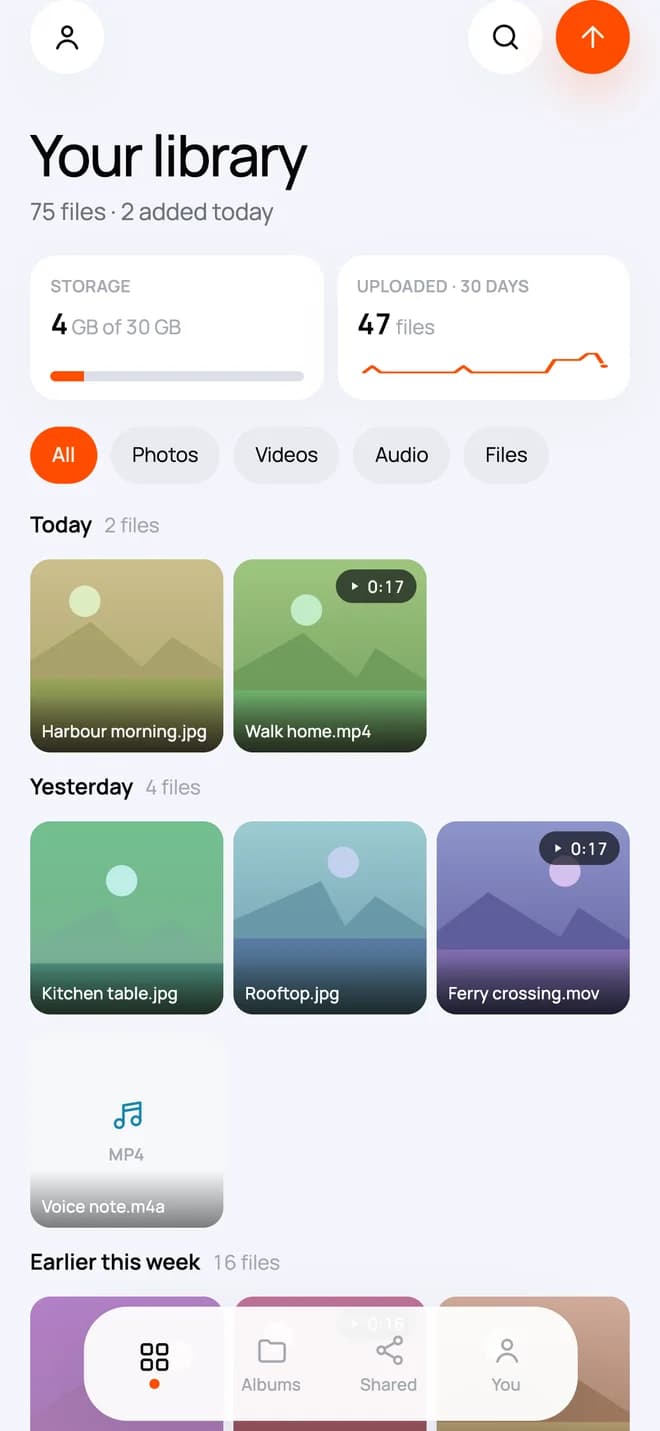
Before you get started.
What is CloudWink?
CloudWink is a private library for photos, videos, audio and PDFs. You can browse your files, organize them into albums, track storage and create controlled album share links.
Are my albums public?
Your library is not a public feed. Sharing starts when you create an album link. You can choose a password, an expiry date and a file-download limit. Anyone with an unrestricted link may be able to open it, so share it thoughtfully.
Can I stop sharing an album?
Yes. Revoke its link from Shared to stop new downloads. Previously issued download URLs may remain usable for up to a minute. Files someone has already downloaded cannot be recalled.
What does a download limit count?
The limit counts file-download URLs issued, not album views. Opening several files can use several downloads. It is a way to limit access, not a count of unique people.
Where can I get CloudWink?
CloudWink has iPhone and Android apps and a desktop web preview. The download page shows verified store and web links when available. A platform preview does not mean its public release is live.