
ORGANIZATION · 3 MIN READ
How to organize cloud storage so you can find your files
· CloudWink team
More storage helps you keep files, but organization helps you use them. A library becomes frustrating when every upload lands in one growing collection and every album is called “New.” You do not need an elaborate system. You need a few conventions that make sense when you return months later.

Begin with one collection and a clear purpose
Choose a recent trip, project or family event. Decide what belongs in it and what someone opening it should understand. Finish that collection before reorganizing years of files.
Avoid making major cleanup and migration decisions at the same time. Copy and verify files first. Sorting a stable collection is easier than wondering whether a missing item was deleted, skipped or never uploaded.
Use dates and descriptive album names
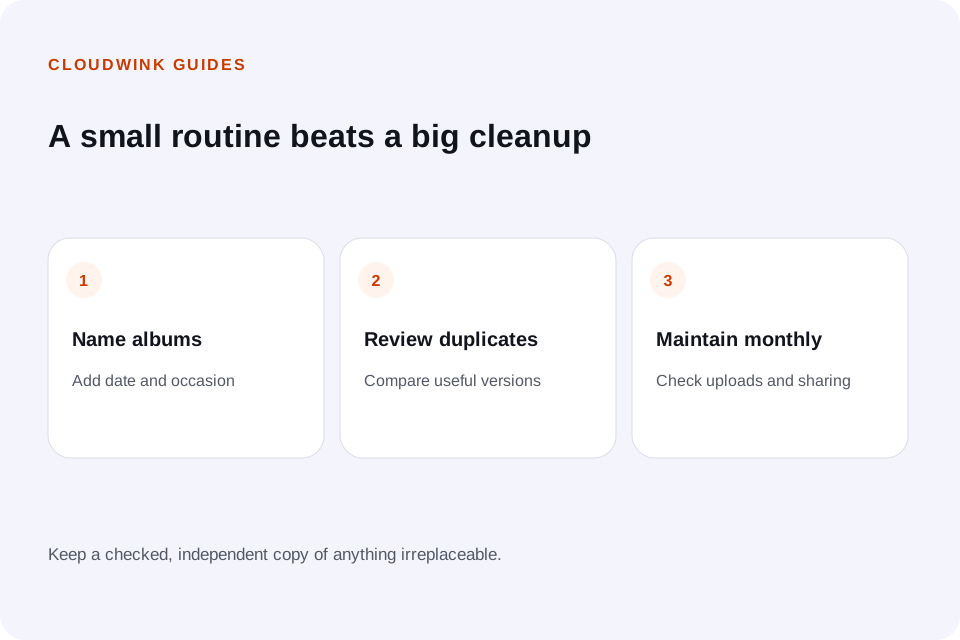
A name such as “2026-10 — Mountain weekend” gives both time and context. “Trip” forces you to remember which one. Use a consistent order that suits the people browsing the library.
Albums are useful groupings, but services differ in whether an album is a reference or a separate copy. Check the behavior before assuming that adding an item to several albums duplicates its storage usage. CloudWink lets you organize library files into albums.
Separate archive organization from sharing
Your personal collection may include files that do not belong in a shared album. Build a smaller collection for recipients and review it before creating a link.
Make the album name specific enough to avoid sending the wrong collection. Review active links after the event, and remove access when it is no longer needed. Clear organization reduces sharing mistakes as well as search time.
Review duplicates without losing useful versions
Exact duplicate detection compares file contents. Similar photographs may be different frames, edits or exports. Treat those as review decisions rather than assuming one is expendable.
CloudWink identifies identical uploads byte for byte. Keep the version with the quality and context you need when reviewing other near-duplicates. Back up before a large cleanup, and understand how long Trash remains available.
Remove duplicates with a recovery planReview large files before tiny ones
A few unnecessary long videos may free more capacity than hours of sorting small photographs. Check the storage breakdown and make decisions based on actual usage.
Keep original recordings that matter, and remove disposable downloads or temporary exports only after confirming they are replaceable. Do not reduce the quality of an entire archive just because some files no longer serve a purpose.
Make maintenance a small recurring task
Set aside a brief review each month: finish outstanding uploads, name recent albums, check sharing and download a sample older file. Review capacity before a major trip or event.
A clear archive is one you can maintain as your life changes. Keep the naming rules simple enough that someone else could follow them, and store important recovery instructions separately from the device you use every day.
Estimate room for your next year of filesQuestions about this guide.
Should I delete files before organizing my library?
Verify an independent copy first. Then remove clearly disposable files, review duplicates carefully and use simple album names so you can understand what remains.